Overclocking the Intel Core i5 4690k
Results from overclocking my Intel Core i5 4690k.
Overclocking the Intel Core i5 4690k
Voltage readings are long gone from when this was performed (writing this over 9 years later), as were temperature and power readings at each frequency interval. The results from increasing the all-core boost from the stock 3.9 GHz to 4.6 GHz are shown in the performance matrix below, with extra results at 4.7GHz pictured separately.
System Specifications
- CPU: Intel Core i5 4690k
- CPU Cooler: BeQuiet! Dark Rock 3
- RAM: Corsair Vengeance DDR3, 1600MHz, 1x8GB Single-Channel (eek!)
- Timings: CL 9, tRCD 9, tRP 9, tRAS 24, tRDC 208, CR 2T
- Motherboard: MSI Z97 Gaming 5
- SSD: Crucial MX100 128GB
- GPU: EVGA GTX 1070 FTW
- Case: NZXT S340
- PSU: EVGA Supernova 850w G2
- Operating System: Windows 8.1
Results (Performance Matrix)
| Frequency | wPrime (1024) | Cinebench 15 (Multi) | Realbench H.264 | Image Editing | OpenCL | Heavy Multitasking |
|---|---|---|---|---|---|---|
| 3.9 GHz | 305.74 sec | 572 pts | 85.363 sec | 35.971 sec | 791 KSamples/sec | 98.47 sec |
| 4.2 GHz | 286.448 sec | 615 pts | N/A | N/A | N/A | N/A |
| 4.4 GHz | 272.899 sec | 629 pts | 83.656 sec | 32.379 sec | 678 KSamples/sec | 95.56 sec |
| 4.5 GHz | 265.681 sec | 639 pts | 81.594 sec | 32.809 sec | 679 KSamples/sec | 93.96 sec |
| 4.6 GHz | 265.222 sec | 673 pts | 79.421 sec | 32.632 sec | 711 KSamples/sec | 86.805 sec |
| 4.7 GHz | 258.872 sec | N/A | N/A | N/A | N/A | N/A |
Extra Results
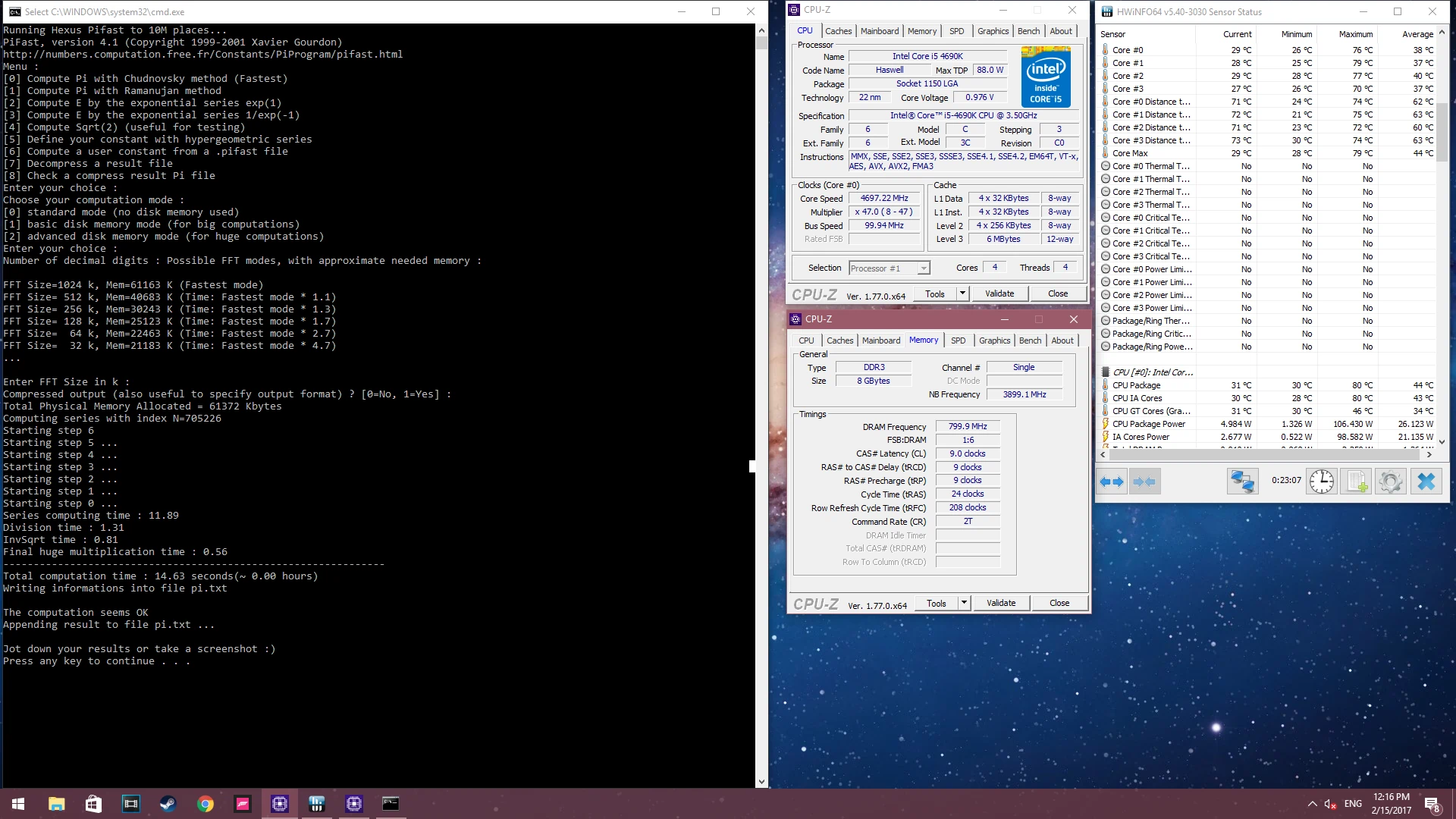
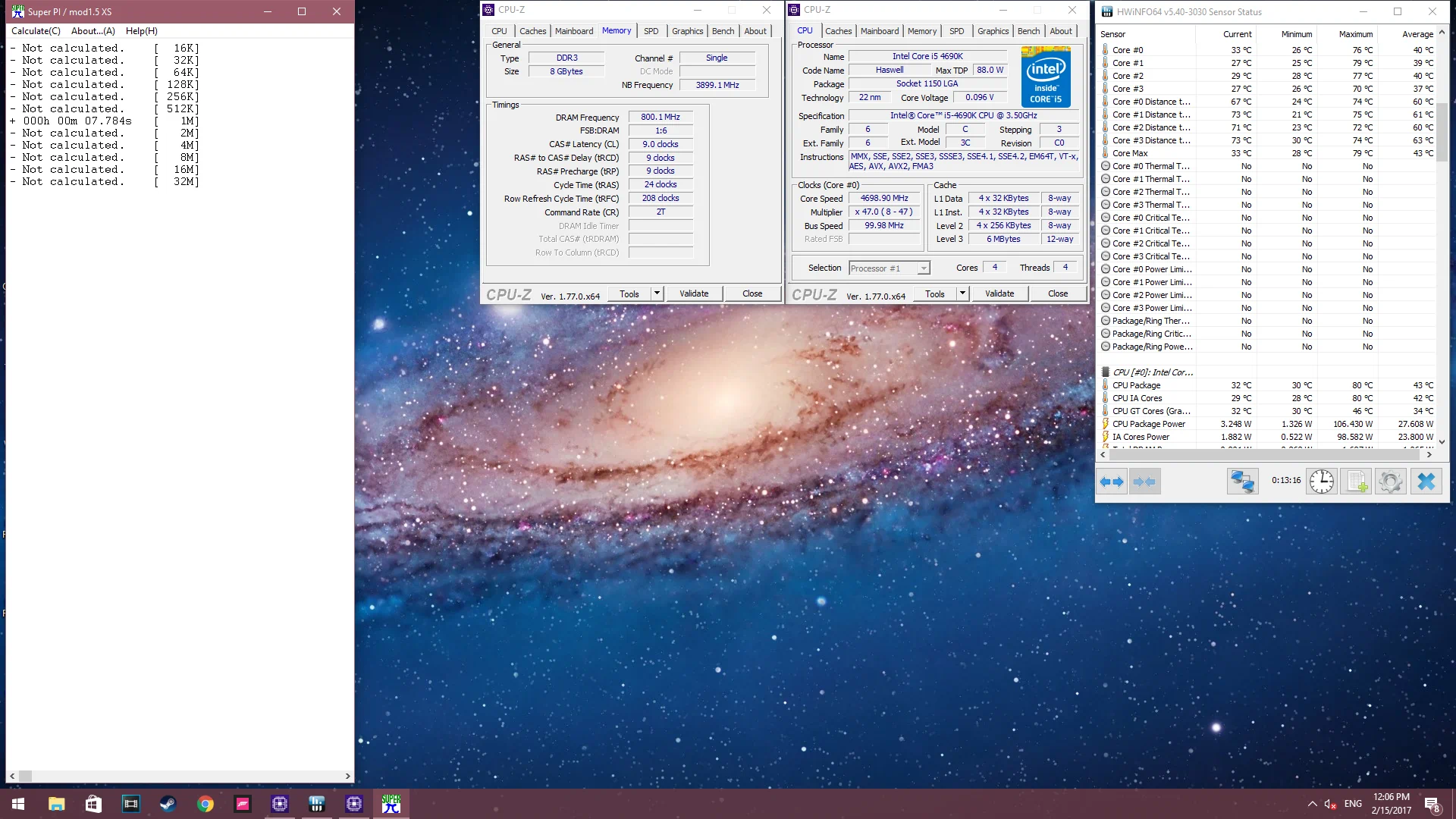
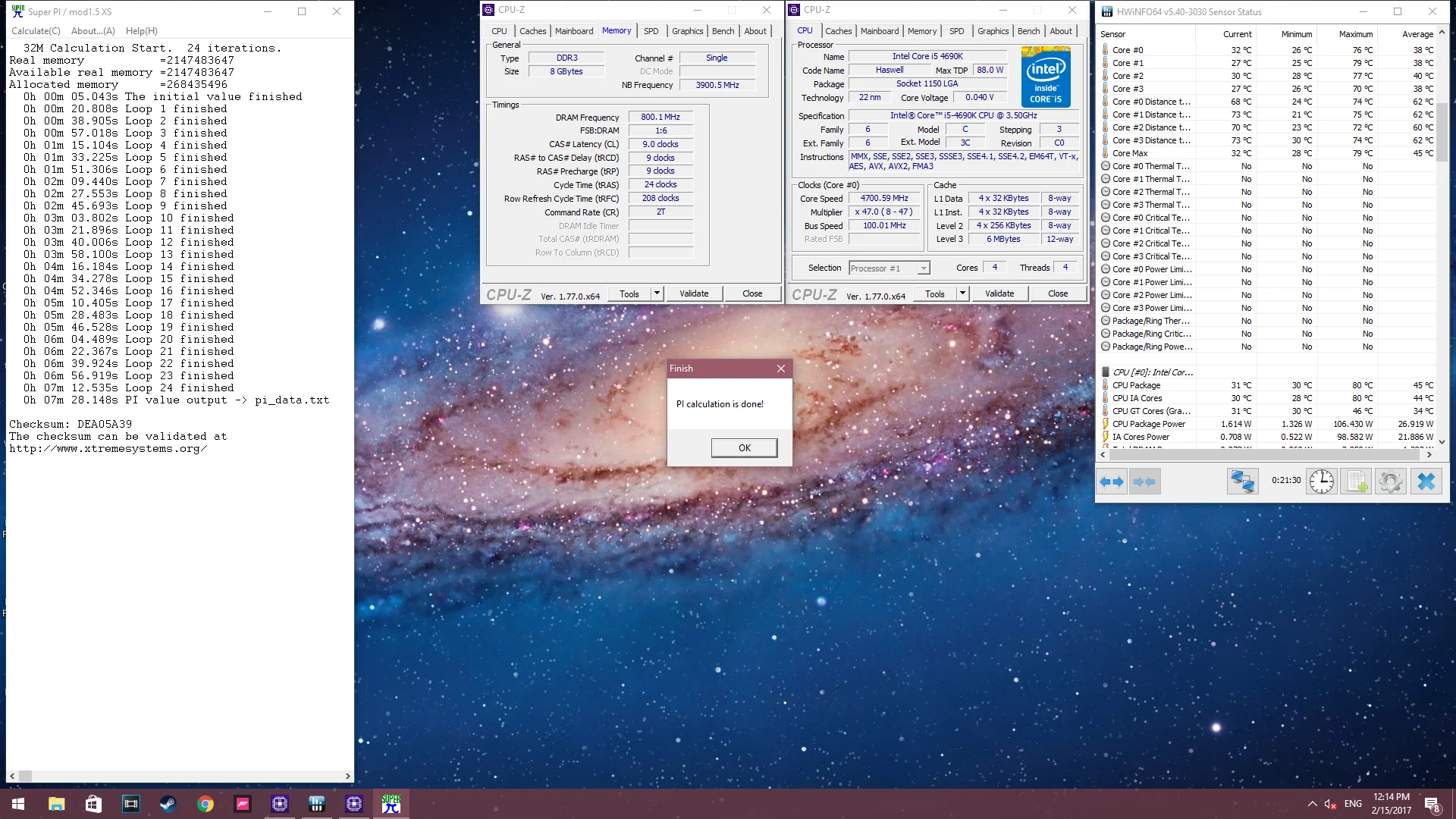
The following results are at 4.7 GHz. I didn’t get too many readings since I was well over the generally accepted safe voltage for Devils Canyon CPUs of ~1.35v, rather to sustain 4.7GHz for long enough to get the wPrime and SuperPi test results, I had to pump around 1.47v, and had a dedicated cooling fan for the VRM.
- PiFast Total Computation Time: 14.63 seconds
- SuperPi, 1 million digits: 7.784 seconds
- SuperPi, 32 million digits (24 iterations): 7 minutes 28.148 seconds
This post is licensed under
CC BY 4.0
by the author.